Meeting room booking for small businesses,
with one URL and QR code.
Replace the spreadsheet or whiteboard schedule with a booking page that shows open rooms at a glance. Employees don't need to log in, and double bookings are prevented by design.
Per location$29/month(USD, excl. tax · unlimited rooms · $290/year if billed yearly)
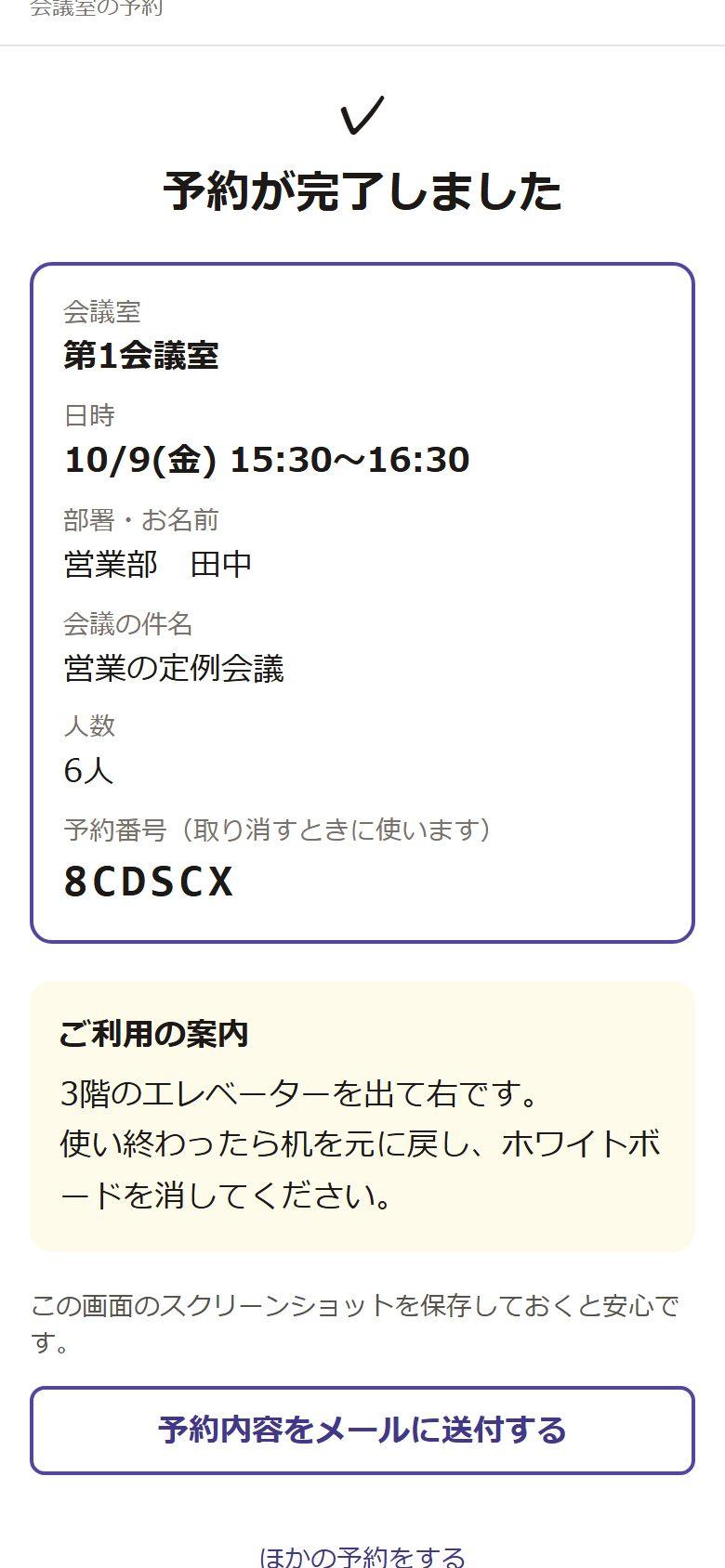
Employees book in 3 steps from a URL or QR code
Today's and tomorrow's availability shows up right away. Works in English and Japanese.
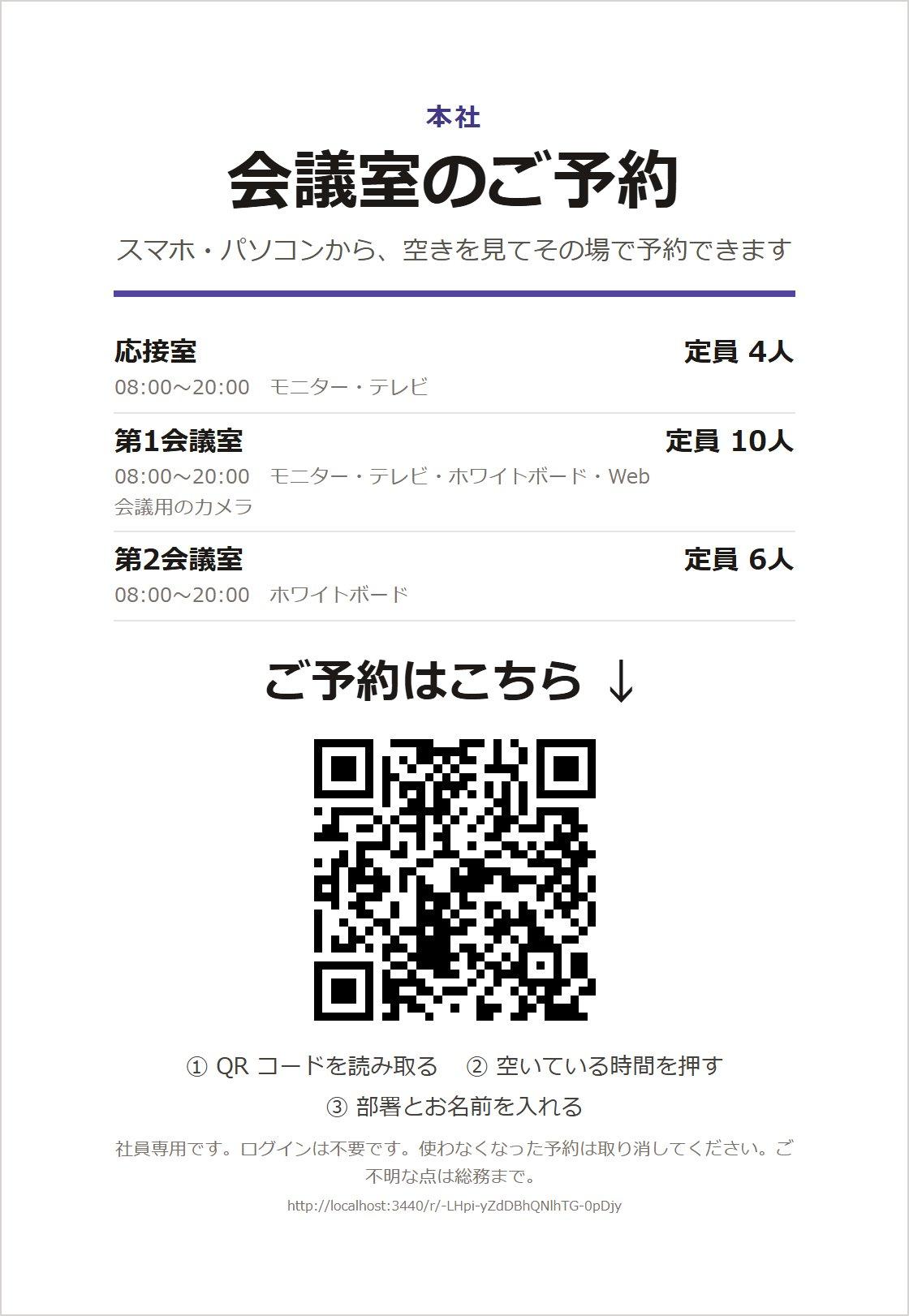

Scan the QR code at the meeting room door or on an office notice board with your phone camera
On a computer, just open the booking URL. No login needed.
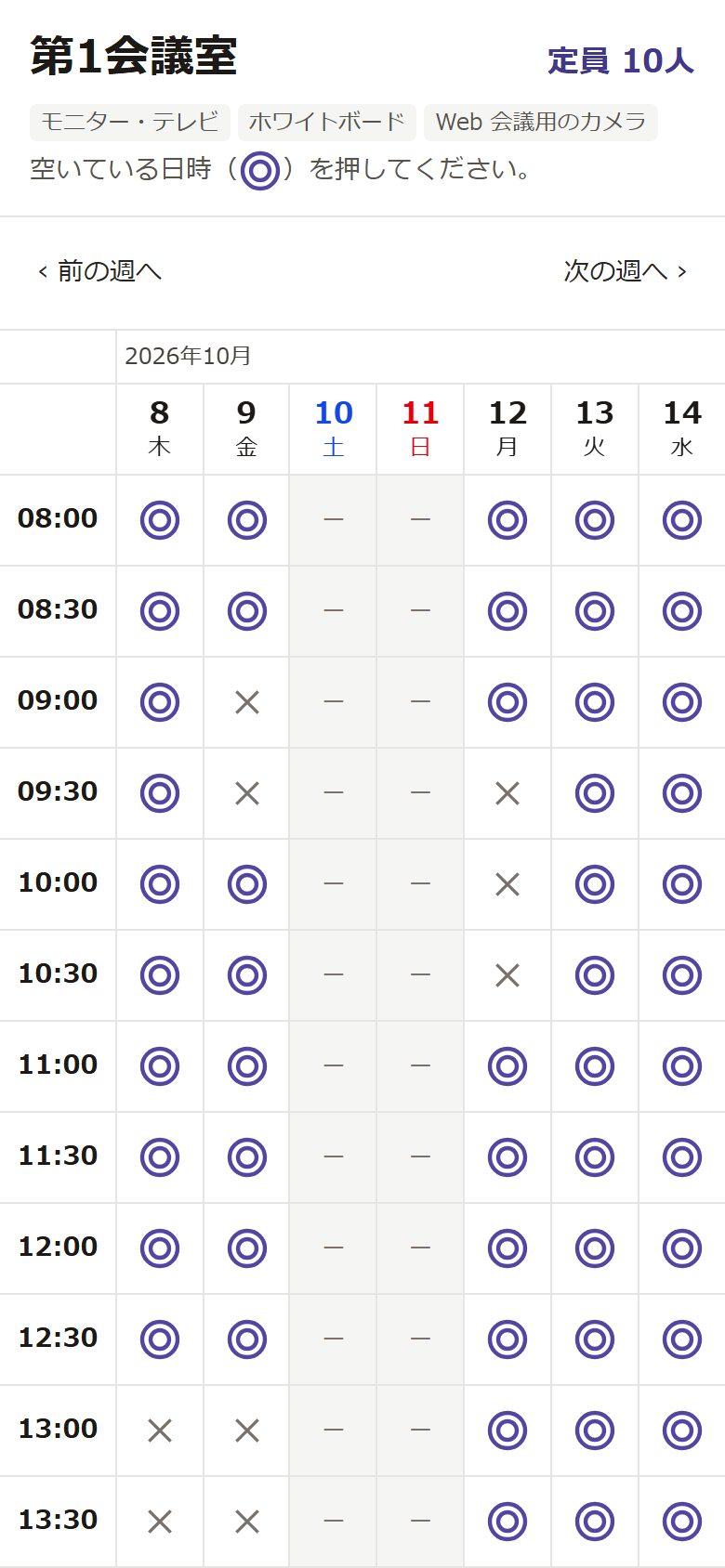
1Tap an open slot (◎)
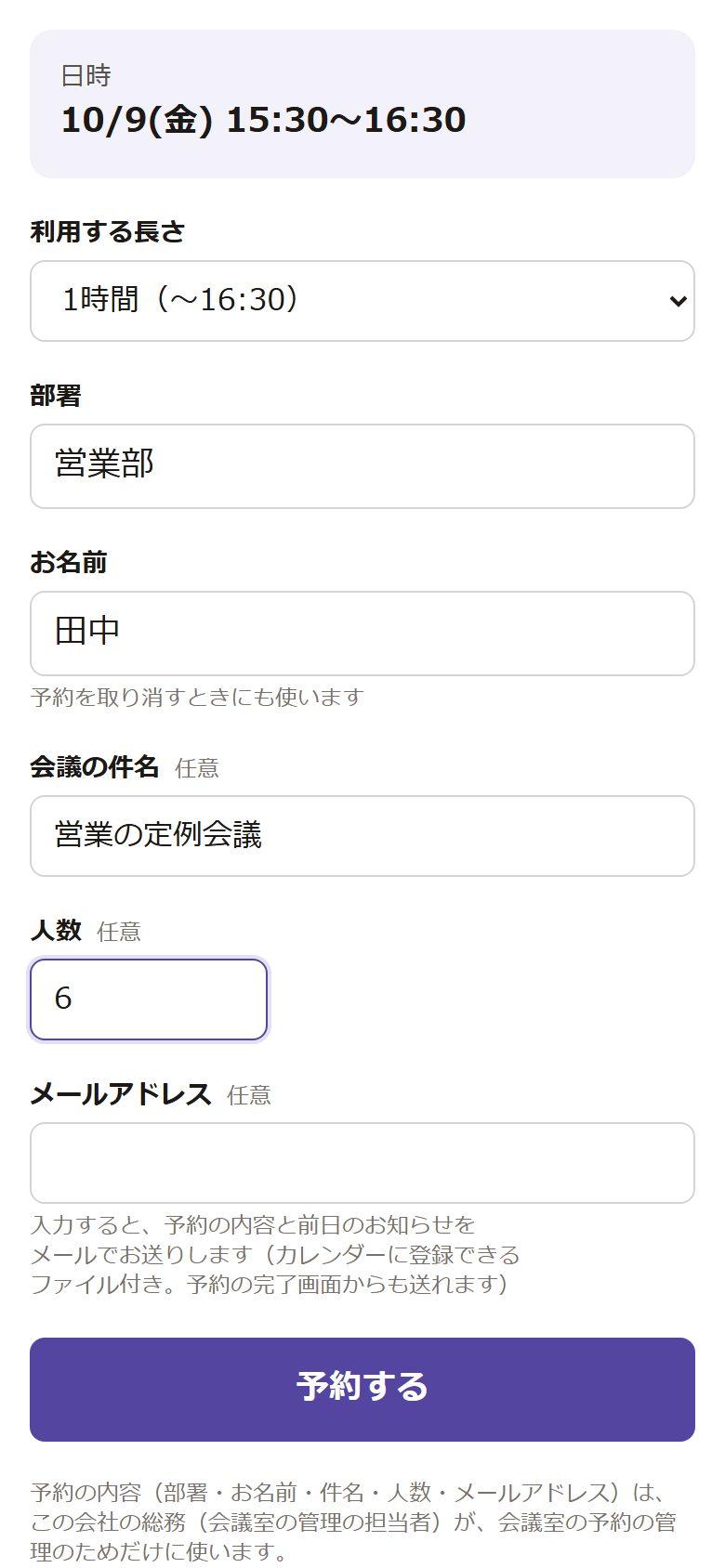
2Department and name
3Booked
Email · now
[Head Office] Room 1 booked: "Sales weekly meeting" When: Wed, Oct 7, 10:00–11:00 AM Department: Sales Title: Sales weekly meeting Booking code: 7KQ2MX ■ Room notes Please wipe the whiteboard when you're done. (Calendar file attached)
Once booked, the screen shows the date and time, booking code, and room notes. Employees who enter an email address also get the booking details and a reminder the day before (with a calendar file attached). Bookings that are no longer needed can be canceled with the booking code and name.
Admins need just one screen
See today's bookings at a glance. Manage your head office, branches, and other locations from one account.
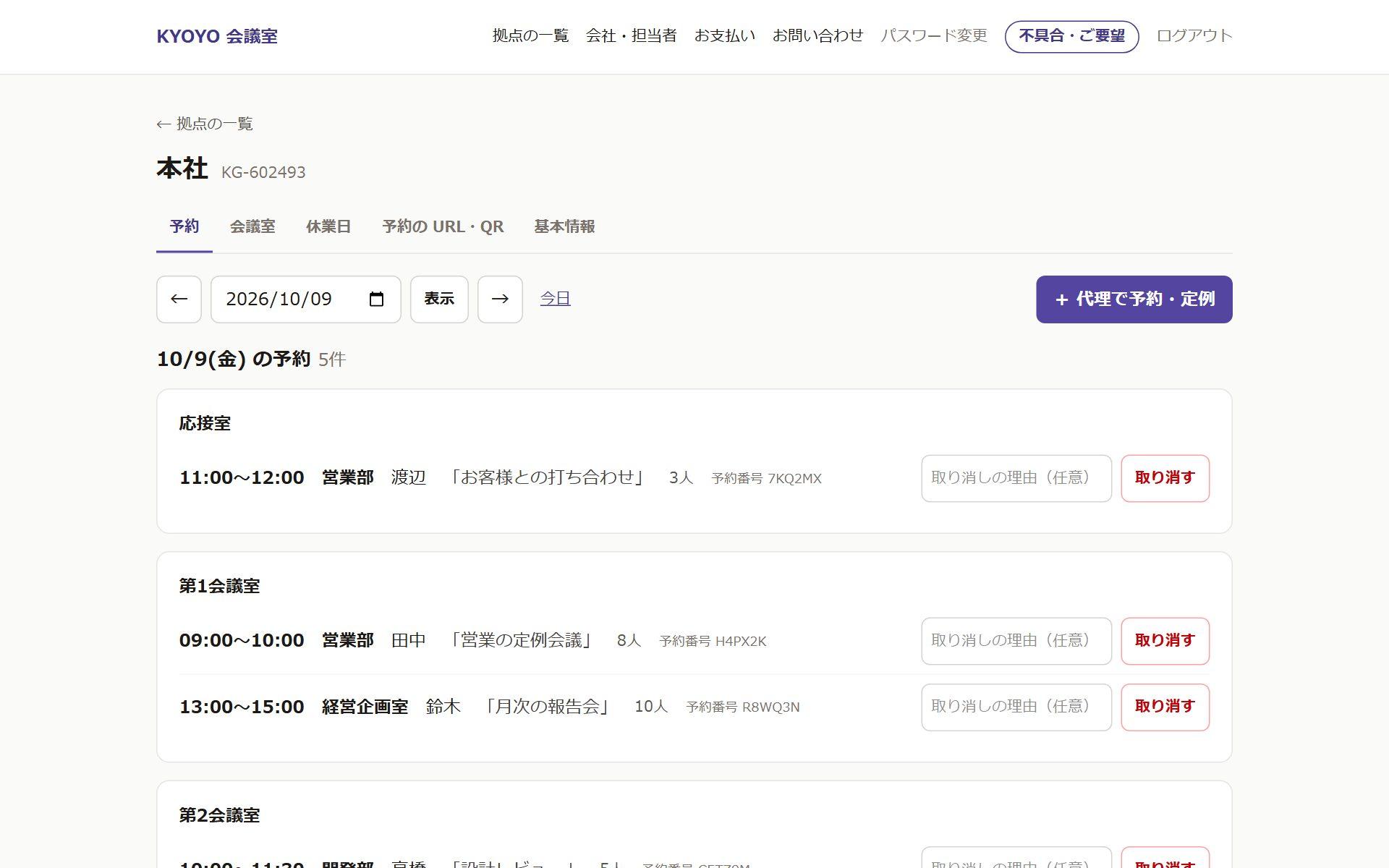
- Add recurring meetings in one go
- No double bookings
- Book or cancel for others
- Monthly usage as CSV
A fix for everyone's headaches
Office admins
Keeping the booking sheet up to date, sorting out double bookings, and re-booking recurring meetings
Employees book on their own. Overlaps simply can't happen
Employees
Not knowing if a room is free, and walking over to check the booking sheet
See today's and tomorrow's open rooms on a phone or PC
Management
Not knowing whether you need more rooms or just better room use
Monthly usage by room and by department, as CSV
Simple, flat pricing
Per location · the same price no matter how many rooms or employees
Monthly
$29/month
Cancel anytime
Yearly
$290/year
Save $58 vs. monthly
- ✓ No setup fee · first 30 days free
- ✓ Unlimited rooms, employees, bookings, and team members
- ✓ Pay by card
- ✓ Booking rooms is free for employees (we never charge employees)
Prices are in USD and exclude applicable taxes. For businesses only.
Organizations in Japan are billed in JPY. See the Japanese page.
We also welcome inquiries about customizing it to fit your business (fields, forms and reports, integration with your other systems, etc.). → Contact us (operated by SBGG LLC)
FAQ
Who is it for?
Small and midsize businesses that manage meeting rooms, reception rooms, or huddle spaces with a spreadsheet, a whiteboard, or word of mouth. One flat price per location, no matter how many rooms or employees you have.
Do employees need an account or an app?
Neither. Employees open the URL you share internally or scan the posted QR code, enter their department and name, and book. You don't need to upload an employee list.
Does it prevent double bookings?
Yes. The database itself blocks two bookings for the same room at the same time. Even if two people book at the same moment, only one booking goes through.
Is there an approval step?
Only if you want one. By default, a booking is confirmed on the spot when the room is free. For rooms that need it, such as an executive meeting room, admins can turn on approval.
How do I set up recurring meetings?
Admins can add them in the admin console as "weekly × number of times." Closed days and slots that are already booked are skipped, and you'll see which ones. To stop a series, cancel every booking from a chosen date onward in one step.
Can I set booking rules?
Yes. For each room, set the booking unit (15 minutes, 30 minutes, or 1 hour), the maximum length of one booking, how far ahead people can book, the monthly limit per person, and how many bookings one person can hold at once. You can also set weekly closed days (such as weekends) and other closed days.
What if the URL is shared outside the company?
You can regenerate the URL and QR code in the admin console (the old URL stops working). For extra protection, set an optional company code: without it, no one can book, even with the URL.
Can visitors book rooms too?
No. It's for employees booking your own meeting rooms. For meetings with visitors, an employee makes the booking.
Which languages are supported?
English and Japanese. Employees can switch languages on the booking page, and booking emails are sent in the language they choose. The admin console is also available in English.
Can I try it before signing up?
Yes. With "Try the demo," you can use the real admin console and employee booking page without signing up. You can even scan the QR code on the sample sheet with your phone and make a booking.
How is employees' personal information handled?
We receive only what's needed for a booking: department and name (plus meeting title, number of attendees, and email address, only if entered). Only your team members who have set up two-step verification can access the admin console. See our Privacy Policy for details.
Can I cancel anytime?
Yes. You can cancel anytime from the admin console. You can also pause individual locations.
Guides to meeting room booking
How to manage room bookings, move off a spreadsheet, prevent double bookings, handle recurring meetings, and sample room rules.
Start today with one URL and QR code
Employees: please book from the URL or QR code shared in your company.